How AI Agents for Business Eliminate Hours of Manual Admin Work
Burkhard BergerStrategic Content Author
Burkhard Berger is the founder of Novum™. He helps innovative B2B companies implement modern SEO strategies to scale their organic traffic to 1,000,000+ visitors per month. Curious about what your true traffic potential is?

The strange part about admin work is not the volume. It is the constant drag it creates in between real work. A task starts, then stops for a detail. A decision gets made, then waits for someone to update three different places. That constant stop-start pattern has quietly defined how most teams operate for years. AI agents for business are now changing that pattern.
Intrigued? Good… because there is more coming. We will show how exactly AI agents can remove friction from everyday administration and improve productivity. You will also see how you can start using agentic AI in your own business to stop the admin layer from getting in the way at every turn.
What Is An AI Agent?
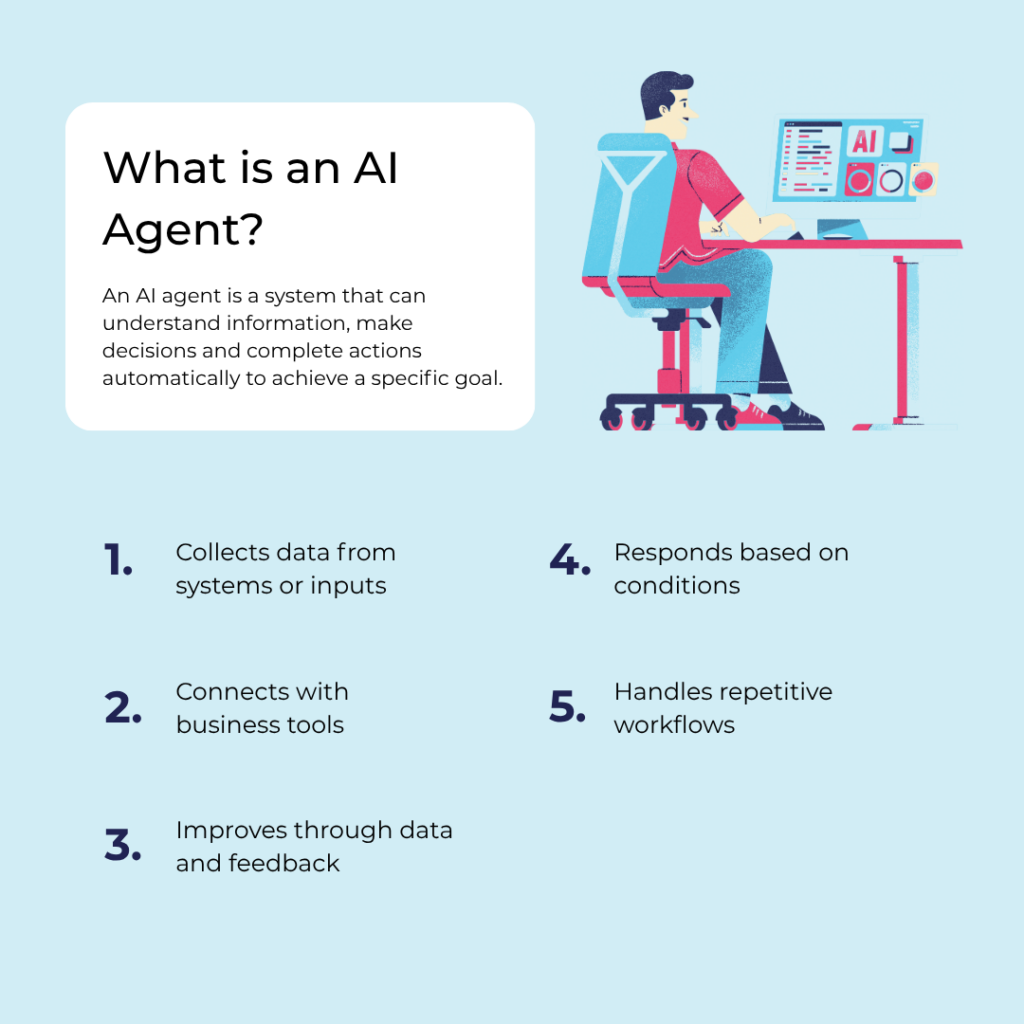
An AI agent is a computer program (or system) that can perceive its environment, make decisions, and take actions to achieve a goal – usually with some level of autonomy.
Key Parts Of An AI Agent:
- Perception: Gathers information from the environment → e.g., reading text, sensing temperature, analysing images
- Decision-making (Reasoning): Uses rules, logic, or machine learning to decide what to do
- Action: Takes steps to affect the environment → e.g., sending a reply, moving a robot, recommending a product
- Goal: The objective it is trying to achieve
Types Of AI Agents:
- Simple reflex agents – react directly to inputs (like a thermostat)
- Model-based agents – keep track of the world’s state
- Goal-based agents – act to achieve specific goals
- Learning agents – improve over time using data
AI agents are available in both free plan and paid plan versions, depending on the platform and level of automation you need.
AI Agents vs AI Assistants: Understanding The Key Differences
Before you decide what to use in your business, let’s see how AI agents and AI assistants actually compare.
| AI Agents | AI Assistants | |
| Core idea | Works toward a goal with autonomy | Helps users by responding to requests |
| Level of independence | High – can act on its own | Low to medium — waits for instructions |
| Decision-making | Makes decisions without constant input | Mostly reacts to user prompts |
| Task execution | Can plan and complete multi-step tasks | Handles single tasks at a time |
| Interaction style | Proactive and continuous | Reactive and on-demand |
| Memory usage | Often keeps context and learns from actions | Limited memory depending on design |
| Complexity | More complex systems | Simpler, user-facing tools with visual interfaces |
| Example use | – Workflow automation agents- Autonomous trading bots- Task automation systems- Visual workflow builders | – ChatGPT- Siri- Alexa- Google Assistant |
| Goal handling | Works toward long-term objectives | Focuses on immediate user requests |
| Human involvement | Minimal once set up | High – user guides each step |
How AI Agents For Business Simplify Repetitive Admin Tasks Across Teams
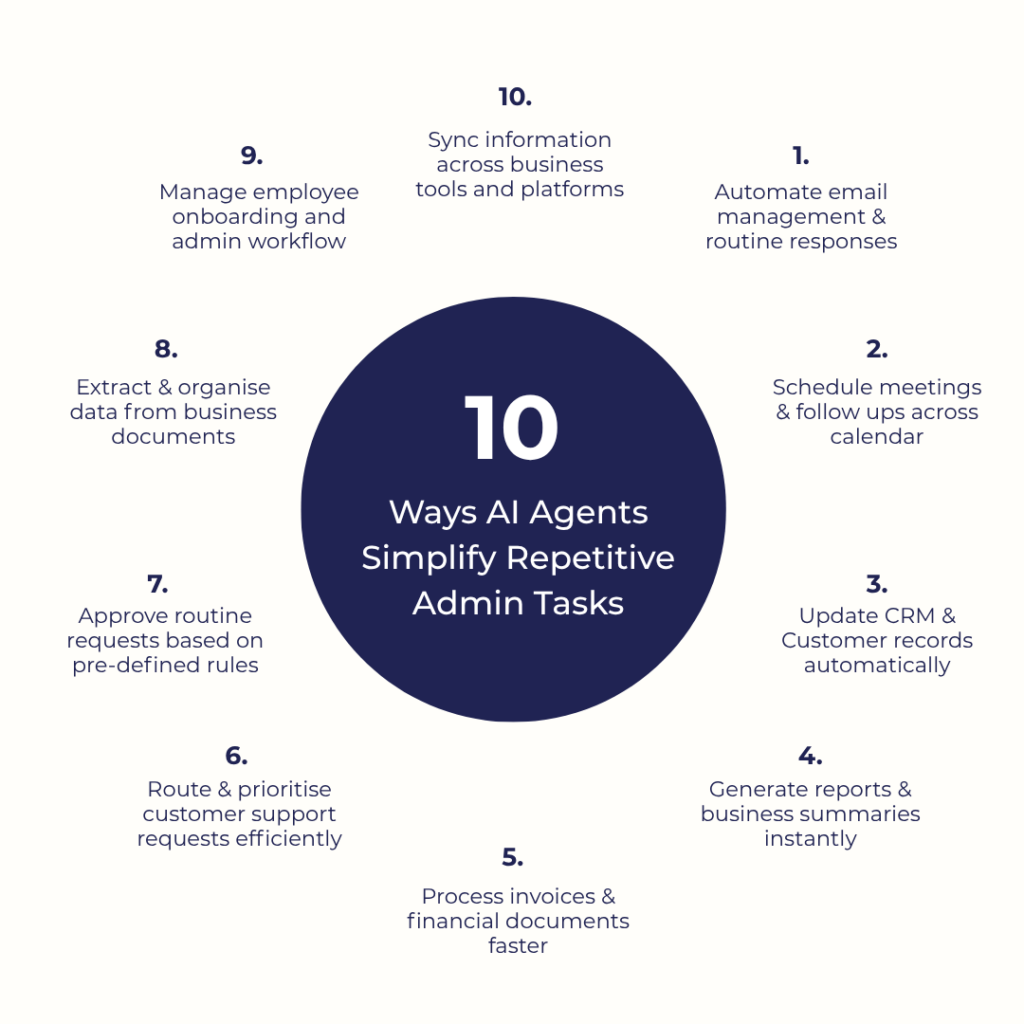
Repetitive tasks don’t belong to one person or one department. It shows up everywhere. Here’s how building AI agents reduces that constant operational drag.
1. Automate Email Management & Routine Responses
One of the most exhausting parts of running a business is not the “big work.” It is the nonstop stream of small communication tasks that never fully end.
You answer one email, three more arrive. A customer wants an update. A vendor needs confirmation. A lead asks for pricing. The problem is not that these emails are difficult. The problem is that they constantly interrupt real work.
AI agent tools remove that interruption. Instead of employees watching inboxes all day, the AI agent handles and automates repetitive tasks on its own. It:
- Reads incoming emails
- Understands what people are asking for
- Pulls information from company systems
- Replies relevantly to the conversation
- Sends follow-up emails
That saves much more than typing time. It removes the small operational pauses that slowly waste an entire day. And businesses feel the difference fast. Sales and marketing teams stop starting every morning with 97 unread messages and decision fatigue before the actual workday even begins.
2. Schedule Meetings & Follow-Ups Across Calendars
Businesses waste shocking amounts of time trying to organise conversations. Not the conversations themselves. Just the coordination around them. Finding availability. Checking calendars. Rescheduling because one person suddenly became unavailable. What should take two minutes somehow becomes a 14-email thread.
AI agents eliminate that scheduling confusion. They understand how the business actually operates and can recognise:
- Who usually joins client calls
- Which meetings are high priority
- When executives prefer not to be interrupted
- Which time slots frequently create conflicts
And the biggest benefit isn’t even scheduling itself. It is follow-through. Most meetings create more work afterward – send recap notes, assign tasks, confirm deliverables. Agents turn meetings into connected AI workflows instead of isolated events that people forget about the next morning.
3. Update CRM & Customer Records Automatically
Almost every business says customer data is important. Very few businesses actually keep customer records consistently updated because nobody enjoys stopping after every call to manually type notes into a CRM. Eventually, the CRM becomes partially accurate at best.
AI agents solve this by updating records while work is happening.
- A salesperson finishes a call – the AI agent summarises it and updates the pipeline automatically.
- A customer changes their contact information in an email – records sync instantly.
- A lead suddenly becomes highly engaged – the AI agent notices and flags the opportunity.
The important part here is operational visibility. When systems are updated in real time, businesses stop operating on outdated information. Managers can actually trust forecasting.
Support teams can see customer history instantly. Sales handoffs become smoother.
4. Generate Reports & Business Summaries Instantly
Most reporting processes are unnecessarily painful. Someone exports spreadsheets. Another person cleans the data. Someone combines numbers from three platforms. Then a manager turns everything into slides nobody wanted to make. Half the time, sales teams spend longer preparing reports than actually learning from them.
AI agents completely change that dynamic. Rather than manually assembling updates, businesses can ask direct questions and get immediate operational summaries. The AI agent gathers information across systems, analyses patterns, and explains what is happening in plain, natural language.
That last part matters a lot. Because executives usually don’t struggle with accessing internal data. They have a hard time interpreting it quickly. AI agents reduce the gap between information and understanding.
5. Process Invoices & Financial Documents Faster
Financial administrative tasks are full of repetitive handling. Invoices arrive. Purchase orders need verification. Payments must be matched. Expenses require approval. Most finance teams spend enormous amounts of time moving this information from documents into systems manually.
AI agents dramatically reduce this burden by reading financial documents automatically and extracting the important details instantly.
An invoice comes in, and the AI agent: Identifies the vendor → Captures totals → Checks due dates → Matches purchase records → Flags inconsistencies → Routes it for approval if necessary
And unlike humans, AI teammates don’t get mentally exhausted after processing the 147th invoice of the week. They stay consistent. And that consistency becomes incredibly valuable for businesses dealing with high transaction volumes because administrative finance work scales badly with human teams.
6. Route & Prioritise Customer Support Requests Efficiently
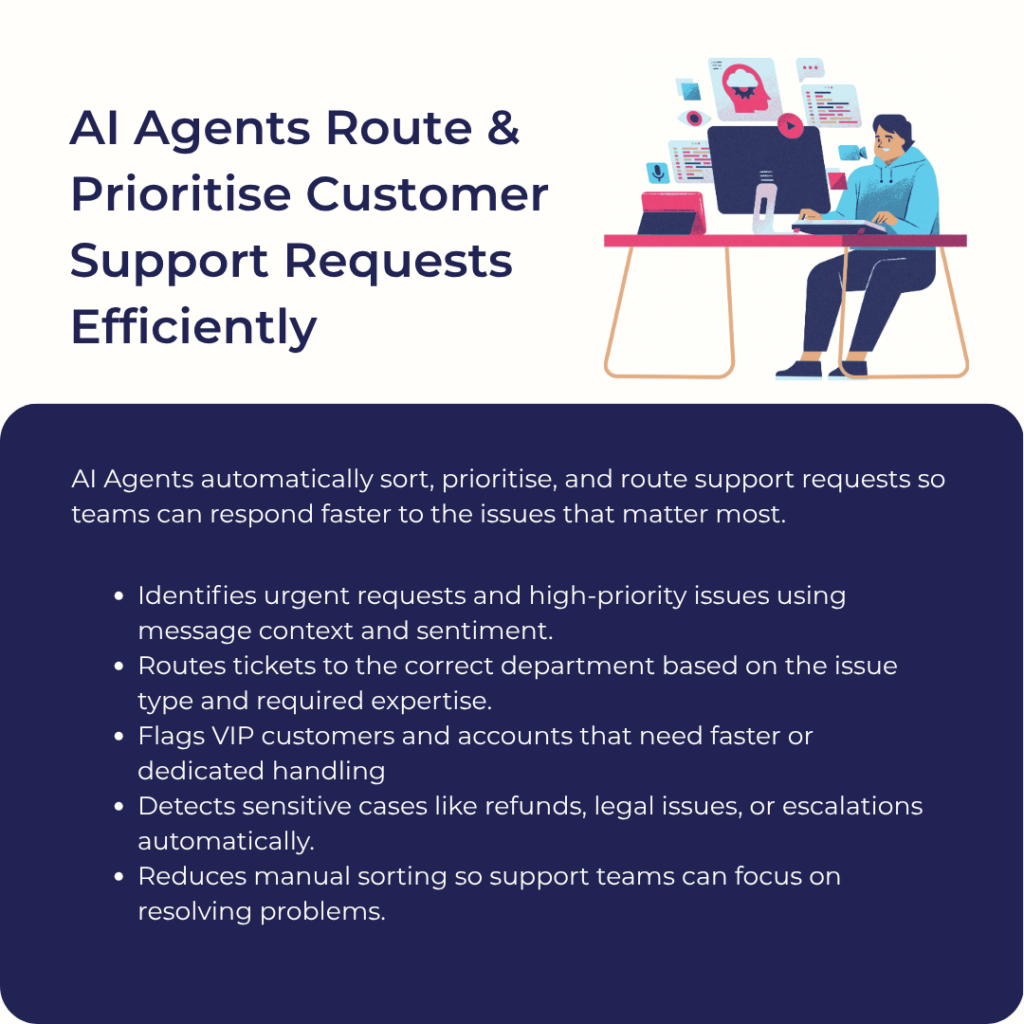
Customer support becomes overwhelming very quickly when every request enters the same queue with the same urgency. Then, technical teams spend half their time simply figuring out where requests should go.
AI agents solve this immediately. The moment a support request arrives, the AI agent analyses the message and understands: what the issue is, how urgent it seems, which department should handle it, and whether it needs escalation.
So instead of humans manually sorting tickets all day, requests move intelligently through the business automatically. And AI agents are especially useful at detecting urgency that humans might miss at scale. They can recognise angry language, refund risk, legal sensitivity, and
VIP customer status. That means businesses respond faster where it actually matters most.
7. Approve Routine Requests Based On Predefined Business Rules
Managers spend an unbelievable amount of time approving things that were obviously going to be approved anyway. Vacation requests. Small expenses. Software access. The decision itself usually takes 10 seconds. But the request stays in someone’s inbox for two days because people are busy.
AI agents remove that backlog. If a request matches company rules, the AI agent approves it automatically. Only unusual cases get escalated to humans. This speeds up operations in ways businesses usually don’t expect. And because the AI models follow predefined rules consistently, businesses also reduce inconsistency and approval confusion across departments.
8. Extract & Organise Data From Business Documents
Businesses are overloaded with documents that they rarely use efficiently. Contracts stay inside folders. PDFs contain valuable information that nobody can quickly access. Forms get submitted, but never structured properly. Important dates stay hidden until they become urgent problems later.
AI agents change documents into searchable operational data. Instead of someone opening every contract individually to check renewal terms, the AI agent can scan all agreements automatically and organise renewal dates, payment conditions, termination clauses, and obligations.
The same applies to resumes, applications, compliance documents, insurance forms, legal paperwork, and vendor records. The AI agent extracts relevant information from your own data and structures it in a usable way or creates automated processes using visual builders.
That means businesses can start using documents like accessible operational intelligence. Which is important because most companies already have the information they need… it is just trapped inside files nobody has time to review properly.
9. Manage Employee Onboarding & Administrative Workflows
Employee onboarding is usually far more complicated than companies want to admit. A new hire accepts an offer, and suddenly, 10 departments need to coordinate. One missing step creates delays everywhere else.
AI agents bring structure to this entire process. The moment onboarding starts, the AI agent coordinates the workflow automatically. It:
- Sends required documents
- Reminds employees about pending tasks
- Alerts departments when action is needed
- Tracks progress
- Ensures nothing stalls
And because the workflow stays organised automatically, onboarding becomes smoother for the employee, too. That matters because onboarding shapes an employee’s perception of the company immediately. Disorganised onboarding = disorganised operations. AI agents help businesses avoid that without HR teams manually micromanaging every step.
10. Sync Information Across Business Tools & Platforms
Modern businesses use an absurd number of software tools. One tool for sales. Another for support. Another for accounting. Another for projects. The result is constant manual duplication. Employees copy information from one platform to another all day long just to keep systems aligned.
AI agents remove that invisible operational burden. And you don’t need multiple agents for that. When something changes in one system, the AI agent updates related platforms automatically. A sale closes? The finance platform updates. A customer submits a support complaint? The CRM reflects it.
This creates operational continuity that small businesses usually struggle to maintain manually. And the impact becomes massive over time because disconnected systems create hidden inefficiencies everywhere. AI agents eliminate much of that operational glue work.
How To Implement AI Agents For Business Automation: 6 Proven Strategies
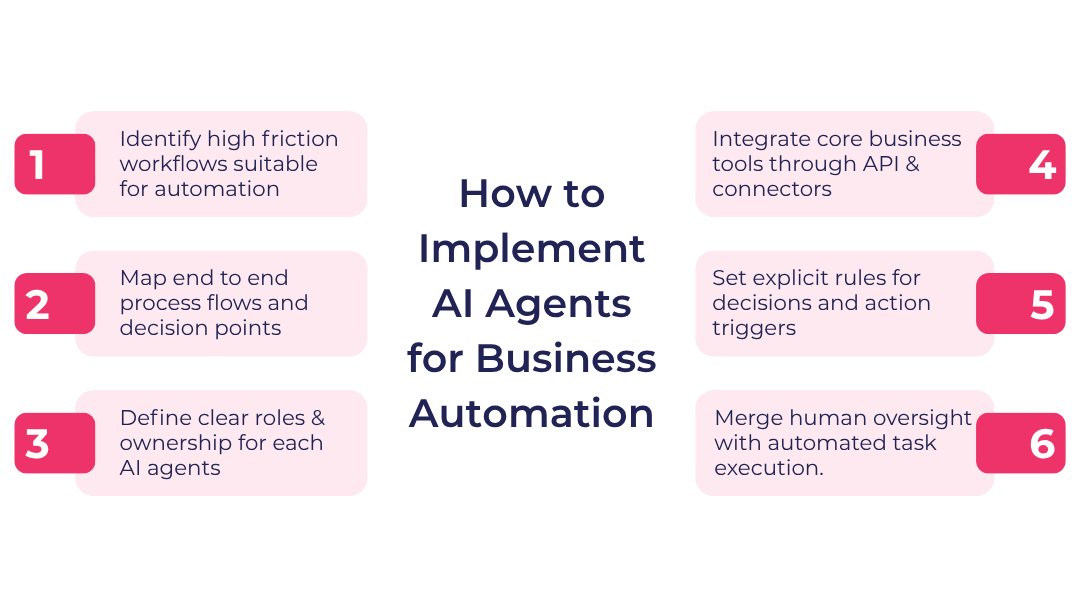
Here’s how you can introduce AI agents into real workflows without disrupting the way your teams already work.
1. Identify High-Friction Workflows Suitable For Automation
The easiest mistake is trying to automate what looks “important” instead of what is repetitive. The real issue is usually hidden in the boring and slightly complex tasks people do every day without thinking much about them.
You can spot them quickly by listening to where work slows down. Not big breakdowns – just constant small pauses. That is where AI agents actually make an immediate difference.
Do This:
- Track tasks that require the same information to be entered in multiple apps (like CRM + spreadsheet + email).
- Identify complex workflows that restart daily from zero, even though nothing really changes in them.
- Focus on tasks done more than 10–15 times a week by multiple people, not one-off complex cases.
2. Map End-to-End Process Flows & Decision Points
Most automation fails because companies only look at the “task,” not the journey around it. But in real life, every task is part of a chain – triggers, approvals, exceptions, follow-ups, silent delays that nobody documents properly.
AI agents need to understand the full chain, or they end up doing isolated actions that don’t connect to real business flow. So before building anything, you map what actually happens… not what “should” happen.
Do This:
- Follow one real request from start to finish. Write down every handoff and person involved.
- Mark every point where a human makes a judgment call instead of a fixed rule.
- Separate normal cases from “this always causes confusion” cases – those are where AI automation tools break if ignored.
3. Define Clear Roles & Ownerships For Each AI Agent
A common mistake is creating agents that “do everything related to operations.” That usually turns into confusion fast. AI systems work better when they behave like narrow specialists, not general assistants. Each agent should have a job description. That prevents confusion and duplicated actions.
Do This:
- Assign one agent per outcome, not per department (“invoice validation” instead of “finance assistant”).
- Clearly define what the agent is NOT allowed to do – especially around approvals and external communication.
- Use an OKR application software to define the exact outcome each AI agent is responsible for (for example: reduce invoice processing time by 40% or cut manual data entry by 60%).
4. Integrate Core Business Tools Through APIs & Connectors
Even the best AI agent platforms are only useful when they can actually “act” inside your systems. Otherwise, they just become suggestion engines. Integration is what turns intelligence into execution. When all your systems are connected, the AI agent builder can move work forward without waiting for humans to copy-paste information between platforms.
Do This:
- Start by connecting your most “switched between daily” tools first (CRM, email, support systems).
- Prioritise integrations with other tools where delays cost money or customers – not just internal convenience.
- Test real workflows end-to-end because breakdowns usually happen across existing tools and systems.
5. Set Explicit Rules For Decisions & Action Triggers
AI agents struggle with ambiguity. If rules are vague, outcomes become inconsistent. So instead of telling an AI agent to “handle approvals” or “manage requests,” you define exactly when something should happen and what conditions must be met.
Do This:
- Set hard thresholds (like “auto-approve below $200, escalate above it”).
- Define trigger events (like “if a customer replies twice without resolution, escalate immediately”).
- Create exception paths so unusual cases never get forced into normal automation flows.
6. Combine Human Oversight With Autonomous Task Execution
The goal is not to remove humans. It is to remove humans from repetitive execution. Artificial intelligence handles speed-heavy work. Humans handle judgment-heavy work. When both are balanced properly, operations become faster without losing control. But the mistake most businesses make is going either too cautious or too aggressive.
Do This:
- Start with AI suggesting actions, then move gradually toward auto-execution for multi-step workflows.
- Keep human approval only for high-impact areas – finance, customer escalations, legal decisions.
- Regularly review agent behaviour and AI decisions in the early phase to adjust rules instead of blindly trusting or restricting the AI features.
4 Real Companies That Successfully Used AI Agents To Save Time & Resources
Let’s see how these 4 companies actually put AI agents for business into action and what changed for them in terms of time and resources.
1. IceCartel

IceCartel’s made-to-order diamond grillz are built on custom requests where no two purchases are identical. Every order depends on customer-specific inputs like tooth size, metal selection, stone layout, and design confirmation.
This creates a very real operational loop: order comes in → details are incomplete or scattered → team collects missing specs through messages → production brief is manually created → revisions are handled back and forth.
AI agents for business remove that coordination layer by turning every incoming order into a structured production packet instantly. The agent extracts order metadata from checkout fields, flags missing sizing inputs immediately, and sends a targeted request for only the missing details instead of restarting the entire conversation thread.
Once complete, it generates a standardised fabrication sheet that includes tooth sizing data in a structured format, selected grillz design variant, stone type and placement notes, and payment status (deposit vs full payment).
Instead of human-led compilation, the workflow becomes system-driven and ready for production without manual formatting.
2. Mannequin Mall

Male dress forms by Mannequin Mall are large physical inventory items sold in bulk, where pricing is rarely static. A single inquiry depends on quantity tiers, mannequin type, shipping destination, and freight dimensions.
The real operational friction is not selling – it is building accurate quotes fast enough for wholesale buyers who expect immediate responses. AI agents for business are directly on top of the inquiry pipeline and generate a structured quote instantly using pre-set business rules such as:
– Quantity-based pricing brackets (e.g., 1–10, 11–50, 50+)
– Product category mapping (male torso, full body, abstract forms)
– Shipping zone logic based on destination country or state
The agent also pulls dimensional weight data from SKU records and calculates estimated freight ranges using integrated carrier APIs. What used to take manual coordination between sales and logistics becomes a single-step output.
3. Sewing Parts Online
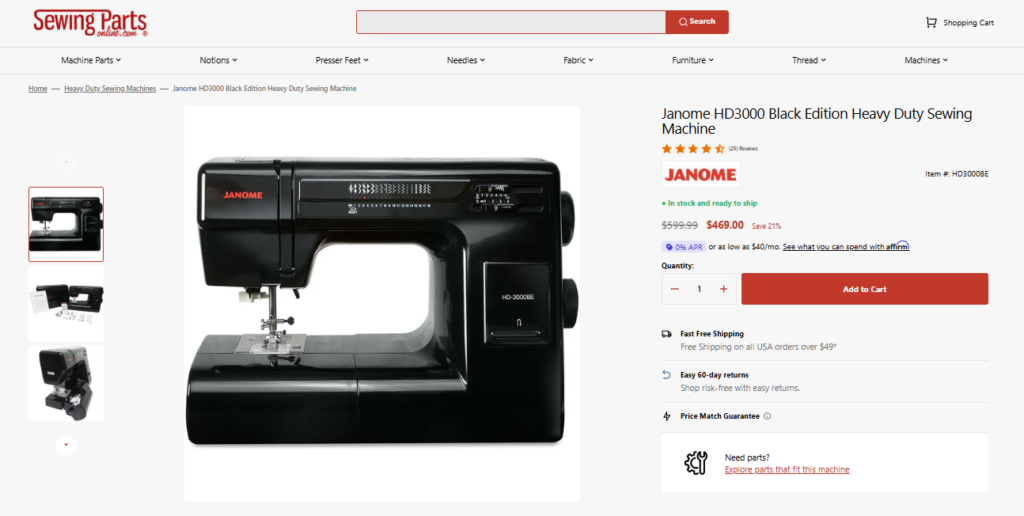
Janome Sewing Machines at Sewing Parts Online fall into a category where purchase errors are driven almost entirely by compatibility mismatch between sewing machine models and replacement parts.
For example, a customer may search for a Janome presser foot, but compatibility depends on the exact machine series and attachment type. AI agents remove this verification burden by running real-time compatibility checks between:
– Product SKU database (needle types, bobbins, presser feet)
– Machine model database (Janome, Brother, Singer variants)
– Historical order correction patterns
Instead of support teams manually confirming compatibility through lookup tables or past orders, the agent filters product visibility at the search level.
So a user searching “Janome walking foot” is only shown compatible SKUs tied to their specific machine model once identified from behaviour or input. The result is fewer human intervention cycles across both pre-sale and post-sale workflows.
4. Performance Lab

Pre Lab Pro by Performance Lab has a replenishment-driven model where many customers subscribe to recurring supplement deliveries. The operational complexity is not just fulfillment — it is timing accuracy and stock synchronisation.
AI agents in such setup manage the subscription lifecycle as a continuous system rather than isolated orders. The agent handles:
– Renewal scheduling based on customer-specific consumption cycles
– Automatic adjustment of delivery dates when stock shifts occur
– Order confirmation messaging aligned with compliance requirements
So, on the inventory side, if a supplement SKU runs low, the agent can shift non-urgent subscriptions forward or backward within allowed delivery windows instead of creating manual backlog corrections. This reduces operational load in three areas at once: billing, fulfilment timing, and inventory alignment.
Conclusion
You can keep training and reminding people, or you can change how work gets done. AI agents for business give you that option. So start by choosing one painful flow and let an agent run it end-to-end. Keep it practical. Keep it tied to outcomes. If the agent does not remove manual cycles, adjust it. If it does, expand it.
At 4mation, we build exactly for this shift. We are a software and AI development agency with over 24 years of experience, more than 50 specialists, and a track record of delivering fixed-cost and outcome-focused projects for startups and enterprise companies.
We are now an AI-first company, and we help businesses modernise their systems with practical AI tools and solutions that are designed to deliver measurable ROI. As an AWS Select Consulting Partner and NSW Government-approved supplier, we build advanced AI applications that align with enterprise standards.
Book a free consultation with our team, and let’s map out the right next step together.
About The Author
